Ultimate Guide to Google Display Banner Ad Sizes
Display ads or Banner ads are visible to users and not search engines.They have the purpose of driving brand awareness by reaching a larger audience on different blogs, news sites, or niche websites. At the same time, they can also be used for remarketing purposes to improve conversions.
Google Ads come in different sizes which is it’s important to know how to optimize them properly to bring the best results.Most people don't have a correct understanding of banner ad sizes or get confused.Knowing how to properly optimize your ads can be quite tricky, which is why we decided to write this article.

What are the most common and used standard banner ad sizes:
- Square – 250 x 250
- Small Square – 200 x 200
- Banner – 468 x 60
- Leaderboard – 728 x 90
- Inline Rectangle – 300 x 250
- Large Rectangle – 336 x 280
- Skyscraper – 120 x 600
- Wide Skyscraper – 160 x 600
- Half-Page Ad – 300 x 600
- Large Leaderboard – 970 x 90
High CTR or Top performing Banner Ad Sizes
- 300×250 – Medium rectangle
- 336×280 – Large rectangle
- 728×90 – Leaderboard
- 300×600 – Half page or large skyscraper
- 320×50 – Mobile leaderboard
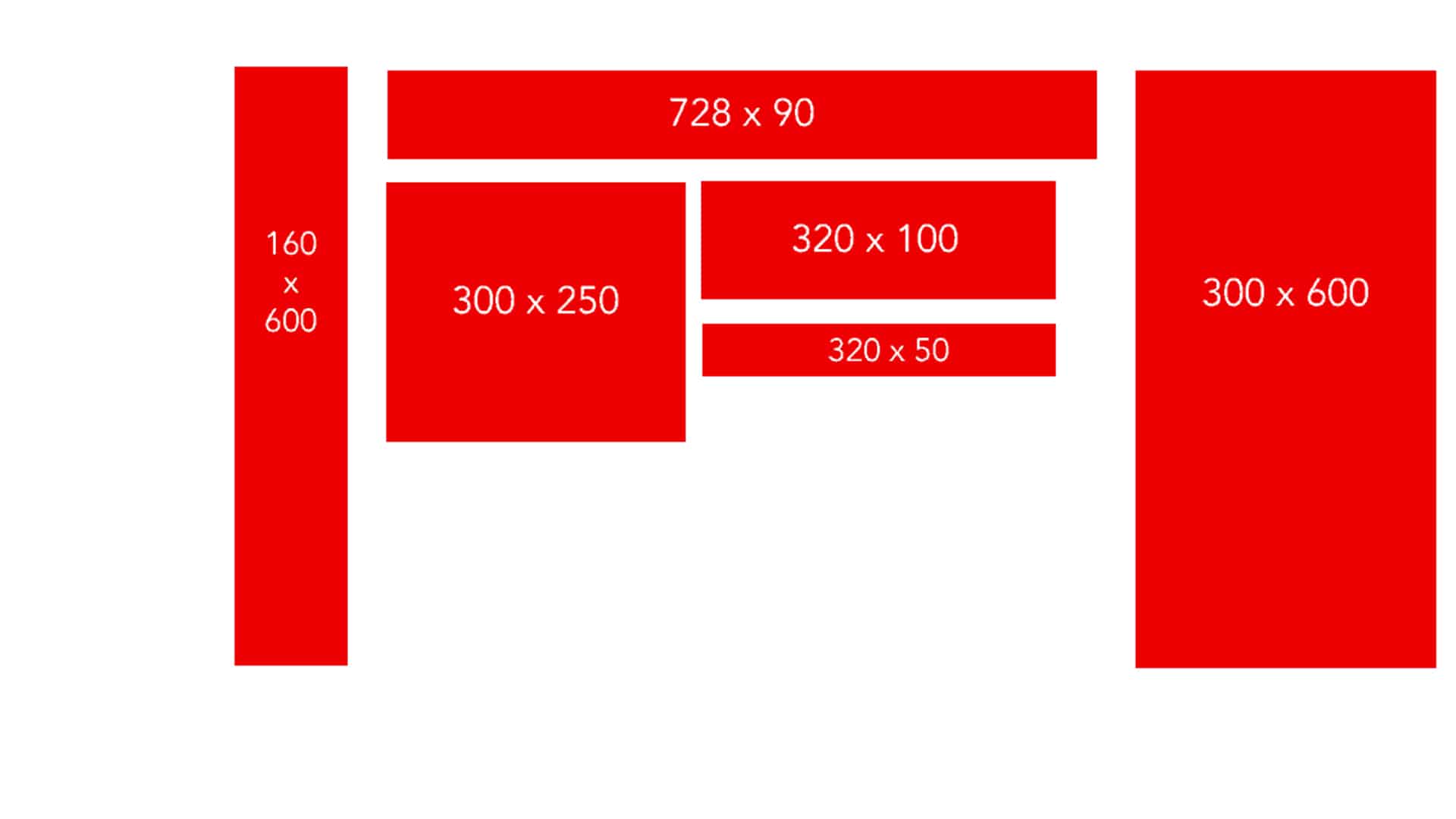
Medium rectangle (300×250)
This type of banner ad is the most compact one out all of these options so it doesn’t take up too much space on a web page. It performs well when it’s embedded within text content or when it’s placed at the end of an article. Because of the compact size, advertisers tend to favor it because it’s convenient to display. At the same time, it’s a good option when you’re just getting started with display ads.
Large rectangle (336×280)
Even though this banner ad size doesn’t get as many impressions as the first one, it’s still a popular option for advertisers. Since it’s similar to the medium rectangle, it performs best when it’s placed within text content or at the end of a post. Because it’s slightly bigger than the 300×250, it means that you will have more ad inventory.
Leaderboard (728×90)
This type of banner ad is called like this because it’s usually displayed noticeably at the top of a web page. If you want to get your ad in front of as many people as possible, then this is a good option to consider. Also, because you get more ad inventory, you can increase your earnings when text and image ads are enabled. Google advises using this banner ad size on forum sites.
Half page or large skyscraper (300×600)
Despite its name, the size of this type of banner ad does not cover half of a page. However, it does take up the most amount of space compared to the other sizes. This means that, as an advertiser, you have a lot more elbow room to get your message noticed. But this comes with the pressure of needing to create stunning visuals that draw people in and getting them to click on your banner ad.
Mobile leaderboard (320×50)
As you can tell from the name, this ad format is optimized for mobile devices. Even though it’s one of the smallest ad sizes available, it should definitely be used as a way to maximize impressions and improve CTRs on mobile.
Why Banner Ad Size is Important?
The size of a banner ad can impact how a user sees it, or even if they notice it. An advertiser, you want to pick the right banner size ad so you can maximize your campaign reach.
What are the other visible elements of a banner ad that matters?
- Content of the banner or display ad
- Colors
- CTA
- Branding
Hope, this article gives you a good understanding of Google banner ad sizes and its importance. Feel free to ask any query in the comments section.


Comments
Post a Comment